ICT 드림업 - 무물 매니저/개발
[Eyedia] YOLO + sentence_transformers
kangchaewon
2025. 5. 20. 16:52
입력 이미지
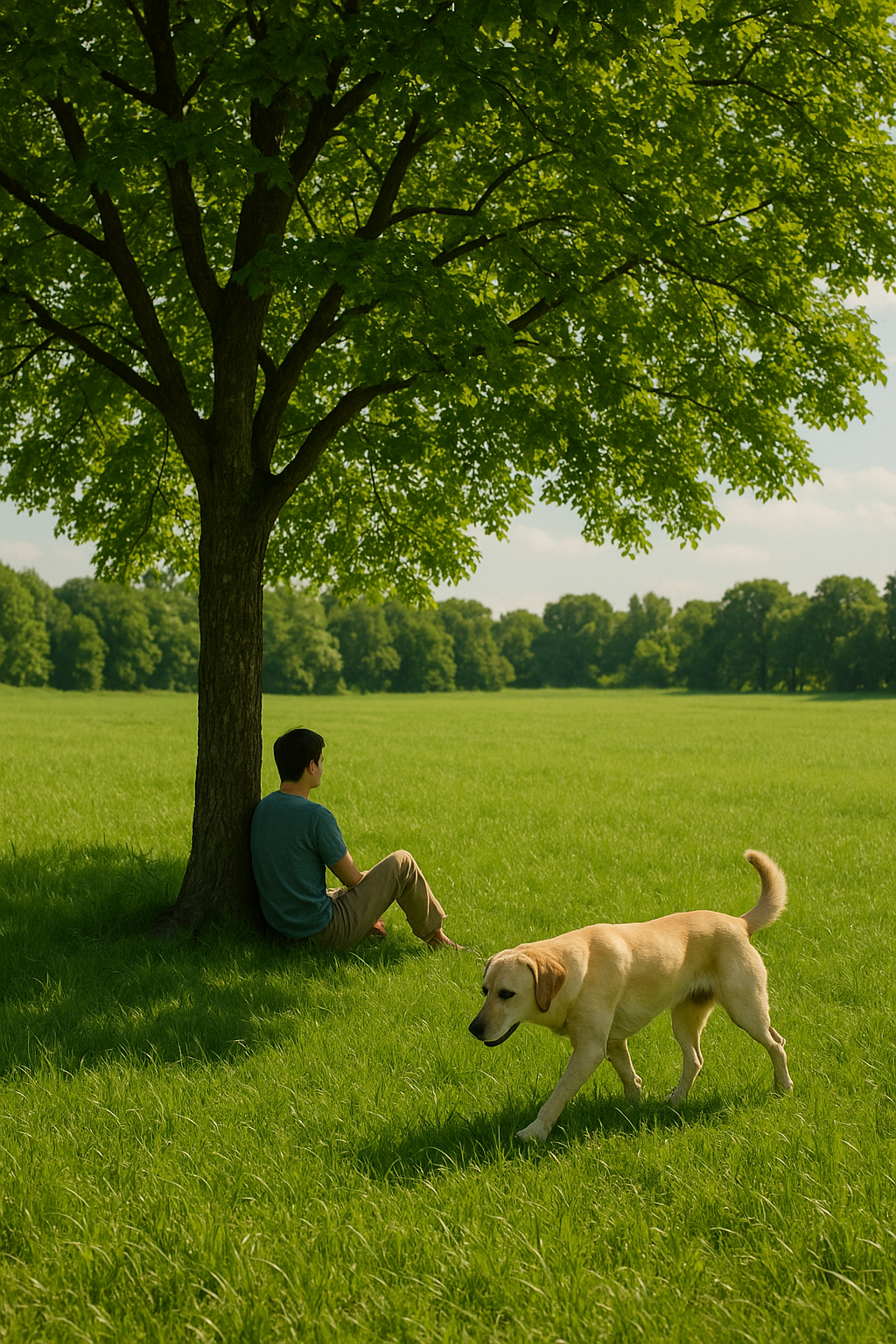
# ==============================
# 파일 업로드 (이미지 선택)
# ==============================
from google.colab import files
uploaded = files.upload()

import os
image_path = next(iter(uploaded))  # 업로드된 첫 번째 파일 이름

# ==============================
# 라이브러리 로딩
# ==============================
from ultralytics import YOLO
from sentence_transformers import SentenceTransformer, util
import torch

# YOLO 객체 감지
yolo_model = YOLO("yolov8n.pt")  # Colab에서도 잘 작동
results = yolo_model(image_path)[0]
labels = list(set([yolo_model.names[int(cls)] for cls in results.boxes.cls]))

print("감지된 객체 라벨들:", labels)

# 예시 설명 (문장 단위)
description_sentences = [
    "푸른 들판에서 강아지가 놀고 있다.",
    "하늘은 맑고 구름이 없다.",
    "나무 그늘 아래 사람이 앉아 있다.",
]

# Sentence-BERT 로딩
sbert = SentenceTransformer("snunlp/KR-SBERT-V40K-klueNLI-augSTS")
sentence_embeddings = sbert.encode(description_sentences, convert_to_tensor=True)

# 객체 라벨별로 의미 유사 문장 추출
for label in labels:
    query_embedding = sbert.encode(label, convert_to_tensor=True)
    cos_scores = util.cos_sim(query_embedding, sentence_embeddings)[0]
    top_indices = torch.topk(cos_scores, k=2).indices.tolist()

    print(f"\n🔍 '{label}' 관련 문장:")
    for i in top_indices:
        print("-", description_sentences[i])
결과

인식된 라벨들 ['person', 'dog']
전체 설명에서 해당 객체와 관련된 설명들이 출력되는 것을 볼 수 있다.
개선이 필요한 점
관련없는 설명도 조금 포함되는 점은 훈련을 통해 줄여야 할 것 같다.